Cold email is a powerful strategy for reaching new customers for your business, but it can quickly get complicated once you send a large number of emails.
Your recipients will reply at any time, day or night. Some want to see the product, request a price list, or prefer to be contacted within hours or even minutes.
Without proper organization, these opportunities may get lost in your inbox, and if you do not respond or follow up, you miss an opportunity.
In this blog, we’ll guide you through how sales CRM lead tracking systems for startups make the cold email process much smoother.
Why Startups Need a Sales Lead Tracking System for Cold Emails
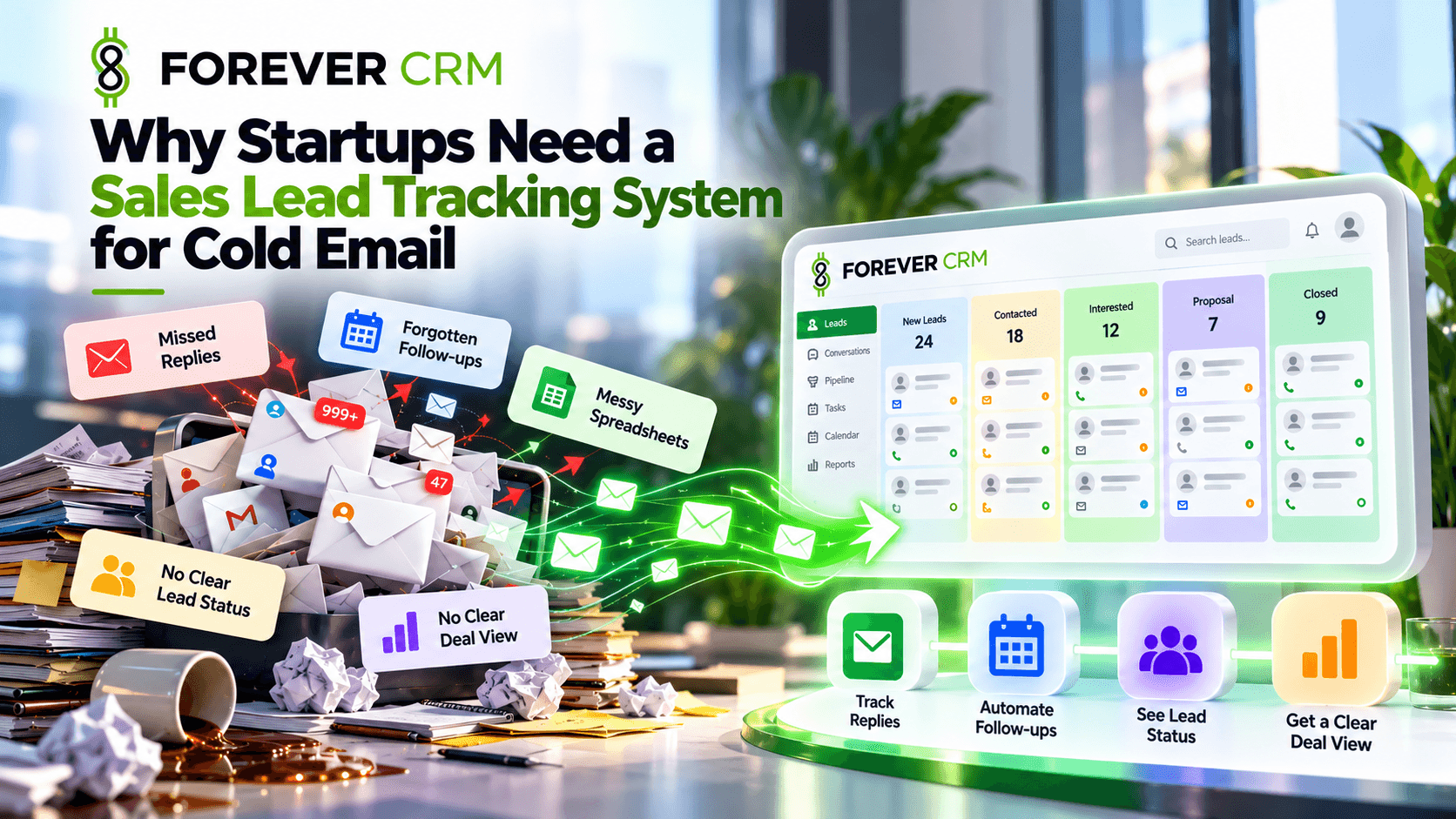
New companies have to grow fast if they want to stay in business. When you are moving that fast, even small mistakes can slow you down and damage your progress.
These are the common issues that startups face:
- Missed Replies: Good messages from interested people are pushed to the bottom and stay there.
- Forgotten Follow-ups: You forgot to email someone interested in your idea last week.
- Messy Spreadsheets: Using a manual sheet is hard work and often leads to many small mistakes.
- No Clear Lead Status: You do not know which people are ready to buy now and which are not.
- No Clear Deal View: It is very hard to estimate how many deals you might actually close in the near future.
What a Sales Lead Tracking System Helps You Track
A good system functions like a smart brain for your sales team. It transforms cold emails into a clear map of your daily progress. This lets you focus all your energy on building customer relationships instead of wasting time searching for lost data in your inbox.
Track Cold Email Replies & Lead Activity
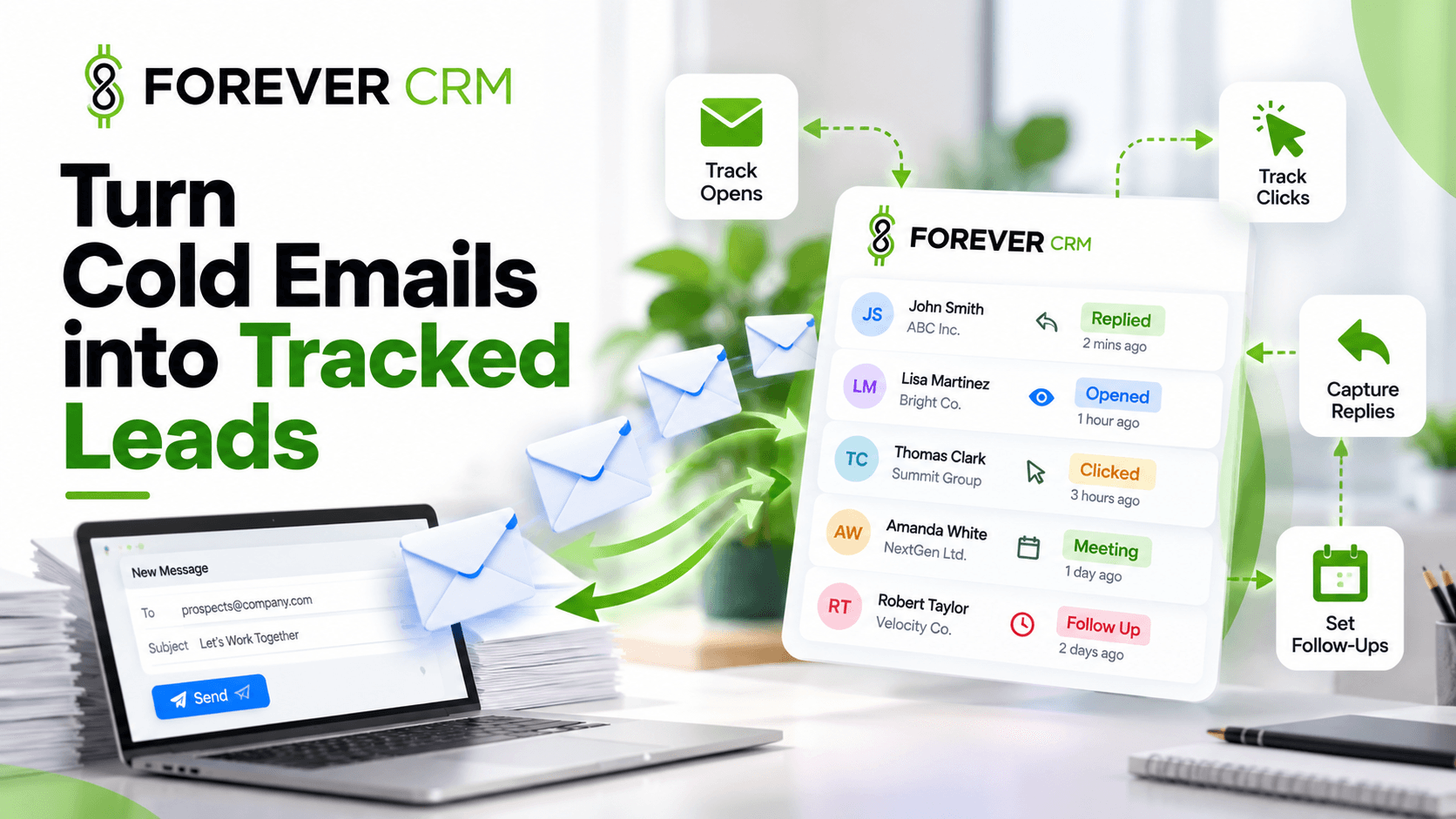
You need to see what is happening with the emails you send. This system shows you who opened your message and who clicked your links. Most importantly, it shows you who replied and keeps track of your last conversation. You will never email excessively or wait too long to respond.
Keep Follow-Ups & Next Steps Clear
The best sales happen when you keep in touch with your leads. A tracking tool lets you set simple reminders for your next task. Pick a “lead owner”, so your team knows who’s talking to each person. The system informs you when to reconnect, preventing missed opportunities.
Key Features Startups Consider When Choosing a CRM
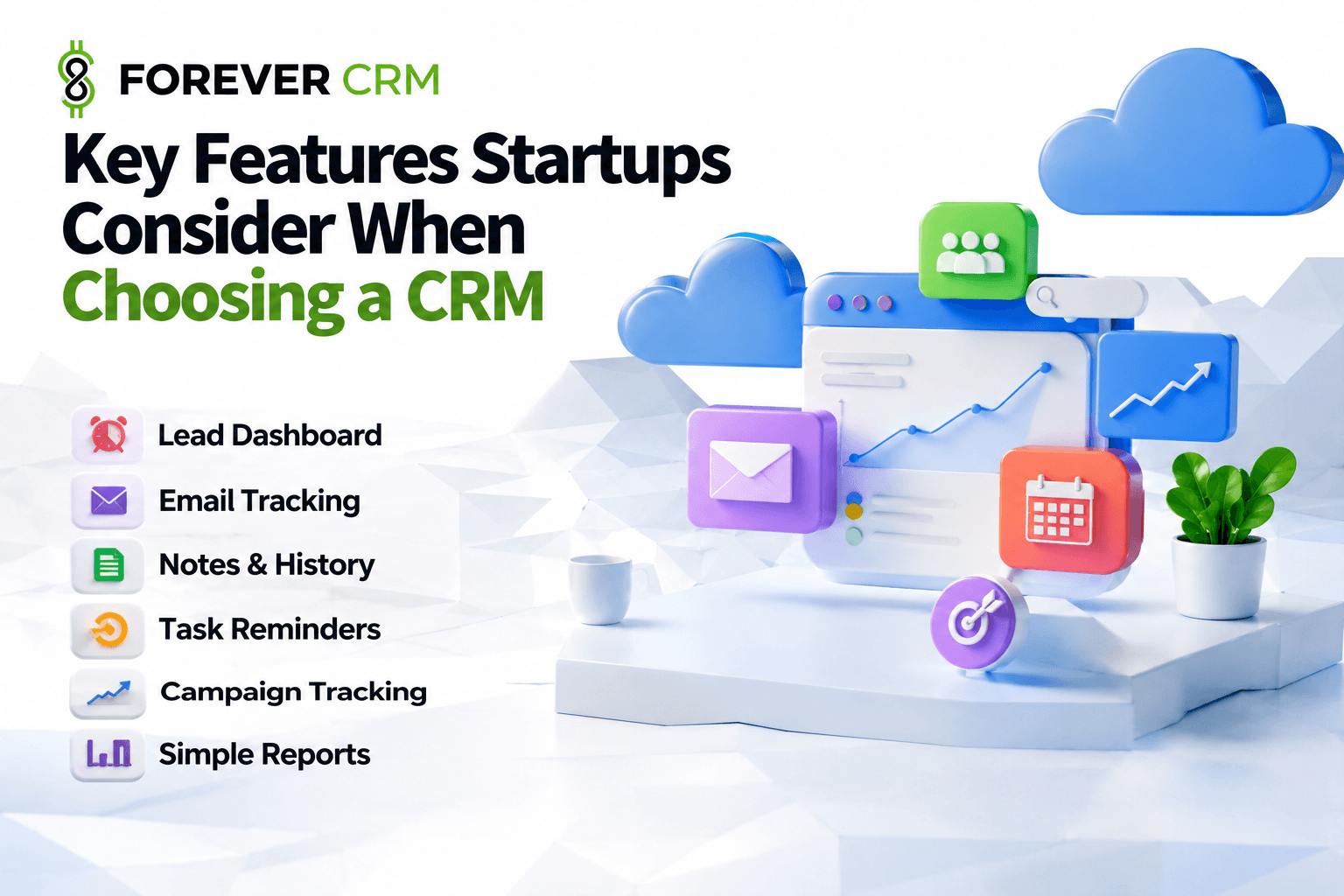
You should not pick a tool with too many buttons you do not need. Look for these helpful features to help your startup grow:
- Lead Dashboard: One simple screen that shows every single person you are talking to.
- Email Tracking: This logs all your emails, and tracks features like emails opened, still unread, read etc.
- Notes & History: A central place to write down what the customer likes and wants.
- Task Reminders: Simple alerts so you never forget a meeting or a phone call.
- Campaign Tracking: A way to see which email gets the most people to answer you.
- Simple Reports: Easy charts that show if your sales are going up or down.
How a Lead Tracking System Improves Cold Email Sales
Using a system makes your business stronger and more stable. When you have a clear plan, your replies are faster because you have all the information ready to go. Your lead response timing improves because the lead is contacted within minutes.
Having a hybrid human + AI lead response agents as your CRM managers results in fewer lost leads and cleaner handoffs. You can identify through reports that help you scale your startup, such as which emails generate more booked calls and overall lead management structure itself, further boosting your business’s revenue.
Frequently Asked Questions (FAQs)
How does a sales lead tracking system prevent cold email replies from getting lost in a busy startup inbox?
A sales lead tracking system automatically syncs with your business email accounts, instantly capturing incoming prospect replies and associating them with the correct lead profile. Instead of forcing founders or sales representatives to search through crowded personal inboxes, the CRM centralizes all cold email threads into a single visual dashboard. This ensures every inquiry is flagged, categorized, and assigned immediately, preventing high-intent prospect responses from slipping to the bottom of an inbox.
Why is relying on manual spreadsheets dangerous for startups scaling cold email outreach campaigns?
Manual spreadsheets lack real-time synchronization, automated alerts, and direct email integration, making them highly prone to human error as email volume increases. When reps manually copy and paste prospect status updates into a sheet, data quickly becomes outdated or overwritten. Spreadsheets cannot send automated follow-up reminders, track open or reply events, or alert team members when a prospect expresses buying interest, leading to missed deals and lost revenue.
How does open and click tracking in a lead management system inform cold email follow-up timing?
Real-time open and click tracking provides immediate visibility into prospect engagement by notifying sales representatives the moment a recipient interacts with an email or clicks an embedded link. Knowing that a prospect has just viewed a price list or deck allows sales reps to initiate a follow-up call or email while the business solution is top-of-mind, dramatically increasing discovery call booking rates.
What essential features should an early-stage startup look for when choosing a cold email lead tracking CRM?
Early-stage startups should prioritize core functionality over unnecessary enterprise bloat, focusing on automated email logging, instant reply notifications, centralized activity histories, automated task reminders, visual deal pipeline boards, and simple campaign analytics. Selecting an intuitive, lightweight platform ensures that small sales teams can manage outreach efficiently without spending hours doing manual data entry.
How does assigning lead ownership in ForeverCRM prevent two sales reps from emailing the same prospect?
ForeverCRM establishes clear account accountability by automatically or manually assigning a single lead owner to every contact in the database. When an outbound prospect responds to a cold email campaign, the system routes the notification directly to the designated owner while logging all interaction history in a shared view. This transparent visibility prevents overlapping outreach, embarrassing double-emails, and confusion among team members.
Why is rapid response timing critical when a prospect responds positively to a cold email?
Outbound prospects who reply to cold emails are often actively seeking solutions or evaluating alternative vendors in that exact moment. Delaying a response by even a few hours allows buying interest to cool down or gives competitors an opportunity to step in. A dedicated lead tracking system alerts representatives instantly upon reply receipt, enabling fast follow-up that captures peak prospect interest.
How do automated lead reminders ensure sales reps never forget a cold email follow-up?
Automated leads management allows sales representatives to set specific follow-up alerts, call prompts, and meeting reminders directly within a lead’s profile. If a prospect asks to be contacted in two weeks or requests additional information after a demo, the system sends automated push notifications and email alerts on the scheduled date, ensuring every promised action item is executed on time.
What is the difference between a cold email sending tool and a sales lead tracking system?
A cold email sending tool is designed primarily for mass message delivery, email warm-up, and sequence automation. A sales lead tracking system takes over the moment a recipient engages or replies, managing the actual sales relationship, organizing conversation histories, scheduling follow-up tasks, tracking deal pipeline stages, and guiding prospects from initial reply to closed-won revenue.
How does centralized conversation history protect startups during sales team transitions?
Centralizing all email exchanges, call notes, and deal updates within a shared CRM secures company data within the organization rather than individual employee inboxes. If a sales representative leaves the startup, a new team member can review the prospect’s entire interaction history immediately, picking up ongoing sales conversations seamlessly without asking the client to repeat past discussions.
How does tracking cold email campaign analytics help sales teams optimize messaging for higher reply rates?
Campaign tracking metrics measure specific performance indicators such as open rates, link click-throughs, reply percentages, and booked meetings across different email templates and subject lines. By analyzing which cold email variations generate the highest response from target decision-makers, startups can refine their messaging, eliminate underperforming copy, and double down on proven outreach strategies.
Why do cold email leads require different pipeline stages than inbound website leads?
Cold email leads begin with zero brand awareness and require distinct qualification stages, such as Initial Reply, Qualification Call, Demo Scheduled, Proposal Sent, and Closing; to nurture cold interest into active buying intent. Inbound leads, by contrast, often enter the funnel with existing intent. Structuring a pipeline specifically for outbound cold email allows teams to measure true conversion velocity across each stage of outreach.
How does Forever CRM help startups forecast future sales revenue from outbound email campaigns?
Forever CRM provides visual pipeline boards that display the total monetary value and current stage of every active deal generated from cold email campaigns. By tracking historical win rates and conversion speeds across each sales stage, founders and sales leaders can calculate reliable revenue projections, identify pipeline bottlenecks, and make informed financial decisions as the startup scales.
Can a sales lead tracking system distinguish between warm positive replies and opt-out requests?
Modern lead tracking systems allow sales representatives to tag, categorize, and update lead statuses based on the intent of the prospect’s reply, such as Information Requested, Meeting Booked, Not Interested, or Do Not Contact. Categorizing replies ensures that interested prospects are moved forward into the active sales funnel while opt-out requests are permanently flagged to maintain email domain health and compliance.
How does cold email lead tracking CRM integrate with primary business email inboxes?
Lead tracking CRM connects directly to business email providers like Google Workspace or Microsoft 365 via secure API integrations or IMAP connections. This two-way synchronization automatically logs all sent and received emails within the CRM in real time, eliminating the need to manually forward messages or blind-copy CRM tracking addresses.
Why is interface simplicity crucial for fast-moving startup sales teams managing outbound campaigns?
Startups move rapidly and cannot afford long onboarding cycles or overly complex software configurations that slow down daily selling activities. An intuitive, clean interface allows founders and sales reps to see who to contact, review past notes, and log updates within seconds, maximizing actual selling time and ensuring consistent platform adoption across the entire team.
How does activity logging improve prospect qualification during discovery calls?
Logging call summaries, prospect pain points, budget constraints, and feature requests within the lead profile creates a comprehensive intelligence record for the entire team. When a rep conducts a secondary call or hands the account over to a product specialist, all relevant details are readily accessible, enabling personalized, highly relevant sales presentations.
What steps should a startup take to organize cold lead data before importing lists into Forever CRM?
Before importing cold lead databases, startups should clean their contact lists to remove invalid email addresses, correct formatting errors, verify company details, and eliminate duplicate records. Structuring clean CSV files with standardized fields for name, company, email, job title, and campaign source ensures a seamless import process into Forever CRM and maintains database integrity.
How does automated lead status updating reduce manual data entry for outbound representatives?
Automated workflow rules trigger status changes based on prospect behavior, such as automatically shifting a lead from Uncontacted to Replied when an email answer is received, or moving a deal to Scheduled once a calendar invite is accepted. Automating routine administrative updates keeps pipeline records accurate while freeing sales reps to focus on high-value closing conversations.
Why do high-volume cold email campaigns fail without a visual deal pipeline view?
When conducting high-volume cold email outreach, managing dozens of active prospect conversations simultaneously becomes chaotic without a visual pipeline view. A visual board organizes deals into clear drag-and-drop columns representing each stage of the buying journey, giving managers and reps an instant, high-level overview of active revenue opportunities and urgent follow-up needs.
How does Forever CRM support startups operating across multiple time zones with automated task scheduling?
Forever CRM normalizes activity timestamps and task deadlines according to localized user settings, allowing sales reps working in different regions to coordinate follow-ups accurately. Automated scheduling tools ensure follow-up reminders and scheduled communications align perfectly with the prospect’s local business hours, maximizing response rates across nationwide or international markets.
Contact Forever CRM for Sales Lead Tracking Today!
Cold email is a great way to find new business, but the first email is just the beginning. The work happens when you track your leads and follow up with them.
Using a tracking system like Forever CRM ensures that no lead is left behind or forgotten in a crowded folder. It gives every conversation a real chance to result in a successful sale for your company!